Why your golf sim says you carry it farther than you do
Cody BolithoJuly 6, 202610 min read
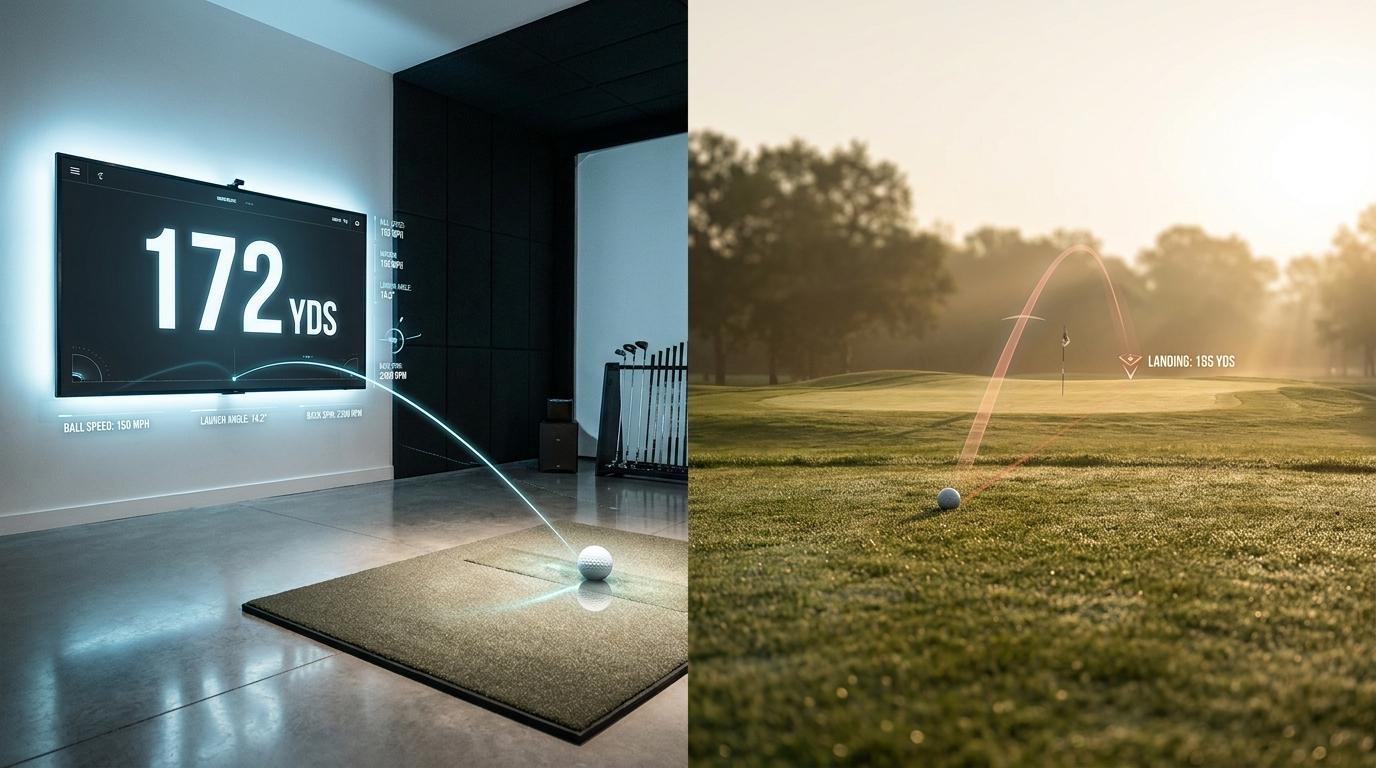
Someone in a home-sim forum posts that they flushed a 7-iron 172 in the bay, and then a week later they're standing on a real par 3 with 165 to the pin, they catch one clean, and it lands short of the green. If you own a launch monitor you've probably done some version of this to yourself, I know I have.
The easy thing to say is that the sim lies, so go hit off grass and ignore the screen. I think that's wrong, and it throws away the most useful piece of gear most of us own. LM's are tuned to measure a few things really well and add a pile of math on top of it, and the tricky part is that almost nobody knows where the measuring stops and the math starts. Once you can see that line, the bay goes from a place that pumps up your ego to the best practice tool you've got.
With the price of range balls these days a lot of us are living in our sim, and the numbers we pull off them end up shaping how we practice and which clubs we buy. So it's worth knowing which of those numbers to actually believe.
Where the carry number actually comes from
Start with what the machine can physically see. A launch monitor's whole job is to read the strike, so ball speed, launch angle, spin rate, and how the club and face showed up at impact. Outside it gets a bonus, because it can watch the ball climb and drop and measure where it actually lands. Inside where you're hitting into a net six feet away, that part is gone. So the unit takes the launch data it caught in the first few inches off the face and works out a full flight that never happened.
TrackMan says this straight out. It measures the real trajectory outdoors, and the carry it shows you comes from those launch numbers run through an aerodynamic model of the ball, under whatever altitude and temperature you've got set in the software (TrackMan, Normalization). Into a net there's no trajectory to measure at all, so the carry and total on your screen are a calculation sitting on top of the handful of numbers the unit genuinely caught.
So your screen is really showing you two different things at once, and it never tells you which is which. The strike data is measured. Ball speed, smash, launch, the unit caught all of it the instant you hit the ball, and I trust it completely. The carry number is a different thing. The sim never saw your ball land, it just took your launch numbers and worked out a distance from a model, and that computed number is the one everybody screenshots and drops in the group chat.
Your mat is hiding your bad shots
The other major variable is anything that affects the club's contact with the ball, in this case we're talking about the mat.
When I catch a 7-iron a little heavy off grass, the club digs, the turf grabs, and I lose 8 to 12 yards and know right away I hit it fat. Off a mat that same heavy strike just skids. The sole bounces off the surface and into the back of the ball, and the number that comes up looks pretty close to normal. My bay has forgiven hundreds of chunky shots that my home course would have punished me for. That's actually what pushed me to upgrade to a more premium mat with more realistic bounce action. The launch monitor has no idea I hit two inches behind it.
That's free yards the mat is handing you, and they've got nothing to do with how you'd actually score. If your indoor stock 7-iron feels a full club longer than your on-course one, a good chunk of that is just the mat bailing you out on contact you'd never get away with outside.
The conditions are set to make you look good
Now to address the air, TrackMan's normalization sits at 77°F and sea level by default (TrackMan, Normalization), and most sim software ships with a baseline that's just as friendly. Think about what that actually means. A premium ball in still, warm air at sea level flies farther than the same ball on a 50-degree morning at a course that sits a few hundred feet up with a breeze in your face. Your bay has no wind. The temperature never moves. And a lot of setups quietly leave an altitude value dialed in that's handing you free yards on every swing.
None of this is the software cheating. It's a lab, and the reading is honest for lab conditions, which your Saturday tee time is never going to be. Spin is what creates lift, and lift plus air density is what decides how far the ball really carries, so two identical strikes can finish in completely different spots the moment real air gets involved (TrackMan ball-flight guide). TrackMan's own wind tables put a number on it, and a steady 20 mph headwind costs you close to double what the same wind at your back gives you (TrackMan, Normalization).
One more thing hides in that default. Normalization assumes you're on a premium ball, and it runs a conversion if you're not (TrackMan, Normalization). So if your bay ball is a scuffed range rock or a hard two-piece, the model is already correcting for a ball that flies differently before the weather even comes into it. That's one more layer of estimate sitting between your swing and the number on the wall.
Spin is the number I trust least
Of everything on the screen, spin is the one I'd bet against first. It's the hardest thing to measure, and it drives carry more than most people realize, so an error there feeds straight into the distance.
Picture two 7-irons that leave the face basically identical, same 118 mph ball speed, same 16 degrees of launch, but one spins 6,000 rpm and the other 6,800. Those aren't the same shot once they're in the air. The 6,800 ball climbs a little more and comes down shorter and steeper, and outside that's five or six yards of carry gone from two strikes that looked the same on the monitor. Say your unit guessed the spin and got it 500 rpm high. The carry it prints just swallows that whole error and hands it back to you as free distance.
On a radar unit like the Garmin R10, spin isn't measured directly at all. The radar catches what it can, and the spin, face angle, distance, and offline numbers all get calculated from those measurements (Plugged In Golf). Reviewers who've run the R10 next to pro-grade gear find the spin drifting off, mostly on wedges and mishits (Plugged In Golf). Camera-based units read spin more directly, tracking the markings on the ball frame to frame, which is why a lot of fitters lean on them indoors.
Radar also has a second problem in a small room. It wants to see a stretch of real ball flight to work from, and a net six feet away doesn't give it much. The R10 review notes you can still get usable data in a tight space, but it's right more often outdoors where the radar sees more of the shot (Plugged In Golf). Stack a shaky spin read on a cramped radar picture and the carry number gets soft.
The fix here is already best practice for sim owners, always using clean premium balls, and if your unit reads marked or RCT balls for spin, use them. Get the spin honest and the whole computed carry firms up behind it.
Bad numbers wreck your gapping
The bragging rights are harmless. Where inflated numbers actually cost you shots is your gapping.
If every club reads long by a different amount, your gaps get scrambled. Maybe your 7-iron reads eight yards long and your 8-iron reads twelve, so on paper they crowd together and you really can't tell which one covers 150. TrackMan lists gapping and fitting as the main reason normalization exists in the first place (TrackMan, Normalization), because a yardage you can't trust turns every club-selection call into a guess. Your bag ends up mapped wrong, so you pull the wrong stick on the course and blame your swing, when really the yardages were off the whole time.
How to make your sim tell the truth
You can fix most of this with about a minute of setup and one honest afternoon.
Many home-sim owners neglect the settings. Drop the altitude to sea level and set the temperature to something real for where you play, instead of the tour-day defaults. Put a premium ball on the mat, ideally the same one you play outside. That by itself pulls a lot of the free air back out of your numbers.
Then arguably the best action, calibrate against grass. Next time you're outside, hit a handful of stock 7-irons on a range you know the yardages on (or any club), or to a flag you've lasered, and compare that to your bay's stock 7-iron (be careful with using scuffed or range balls for this as it may affect performance). Whatever the gap is, that's your offset, and it's the single most useful number in this whole piece. A lot of home-sim golfers find their bay running long, sometimes a couple of yards, sometimes more than a full club, depending on the unit and how it's set. Note your distances or utilize a utility like OpenCaddie to track your distance over several sessions and adjust your setting accordingly. From then on you read the bay through that number, and the sim goes back to being reliable, because you finally know exactly how much to trust it.
Warming up before a round
This is the exact situation a Pre-Round Warmup is for. Warm up in a bay, take the carry on the screen at face value, and you'll spend the front nine flying greens and wondering what's wrong with your irons. Warm up knowing your 7-iron reads eight yards long inside, and you just club down before the first tee and play the right yardage from your opening swing.
How I use this in OpenCaddie
This is a big part of why I built the thing the way I did. When you drop in your SkyTrak, TrackMan, Foresight, GSPro, or R10 export, Mully doesn't just read your carry back to you louder and call it coaching. It goes after the strike numbers that actually travel with you to the course, ball speed, smash, launch, low point, and tells you where your contact or delivery is leaking distance. Then it gives you one named drill for today's Practice Station, and how that session goes feeds what the next day's station looks like.
The reason I care about this is that the carry number is the seductive one and the least reliable one, and plenty of tools are happy to hand it back to you inflated because a bigger number feels good. The unit in your bay measures the strike really well. Everything past the strike it's calculating from a model, and that's the part I'd want you reading with your eyes open before you trust a yardage to it.
Thanks for reading!
Sources
Every benchmark above traces to a named source. Here they are.
OpenCaddie
Coaching, not another dashboard
Drop in your TrackMan, SkyTrak, Foresight, or GSPro export and OpenCaddie reads it, names the fix, and prescribes the drill.
Try OpenCaddie free